

Web Design · 26 min read
Snowbird season vs. summer: your Sarasota website should change twice a year
Most Sarasota businesses run the same website year-round, losing customers in April and November. Your winter audience isn't your summer audience. Here's what to swap when.
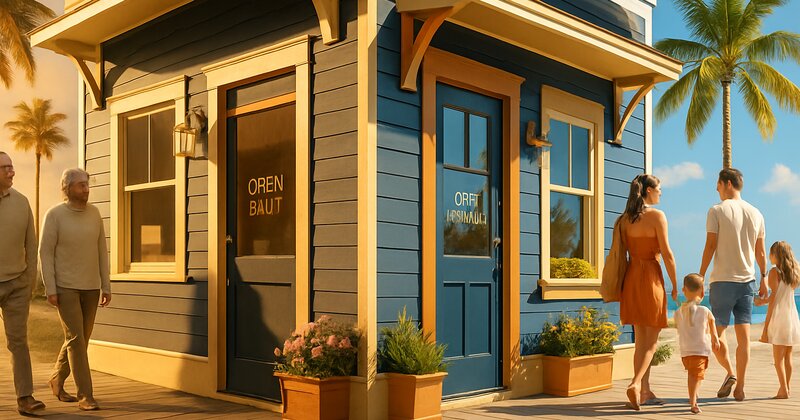
The Venice restaurant that lost 40% of their summer revenue because their website still said "snowbirds welcome"
A restaurant on Venice Avenue had a strong winter season in 2023. Packed dining room November through March. Solid profit margin. Happy snowbird customers who came back year after year.
Then April hit. The snowbirds went home. Traffic dropped by 60%, which is normal. But revenue dropped by 75%, which isn't.
The problem wasn't the food or the service. The problem was the website.
Their homepage still featured messaging from snowbird season:
- "Welcome back, snowbirds! Your favorite winter dining spot is ready for you."
- Hours: "Open 7 days a week for lunch and dinner"
- Hero photo: A packed dining room with elderly couples (shot in February)
- Special offers: "Early bird special 4-6pm daily"
Here's what a Sarasota local saw when they Googled "restaurants Venice Florida" in June:
A website clearly designed for retirees and seasonal residents. Hours that suggested they were open for lunch (most locals know summer restaurants often skip weekday lunch). An early bird special targeting a demographic that wasn't even in town. Photos showing a crowd of winter visitors, not locals.
The local's mental response: "This place is for snowbirds. It's probably dead in summer. Let's try somewhere else."
They clicked the back button and picked a competitor whose website said "Local favorite - open for dinner Wed-Sun, live music Fridays."
The restaurant owner didn't understand why locals weren't coming in. The food was the same. Prices were actually lower in summer. They had live music on Fridays specifically to attract year-round residents.
But none of that was on the website. The site was frozen in February. It was July.
We updated their site in late July with summer-specific messaging:
- New headline: "Venice locals' favorite for waterfront dining - live music every Friday"
- Updated hours: "Summer hours: Dinner Wed-Sun 5-9pm (closed Mon-Tue)"
- New hero photo: Younger couples and families on the patio at sunset (shot in May)
- New offer: "Locals appreciation: 15% off your check every Wednesday with Florida ID"
- Added note: "Quieter atmosphere and attentive service all summer long - skip the winter crowds"
Within four weeks, summer revenue increased by 35%. Same restaurant. Same chef. Same menu. They just made it obvious they wanted local business and adjusted to summer expectations.
The lesson: Sarasota isn't one market. It's two markets with a population swing of 30-40% depending on the season. If your website doesn't shift twice a year to match your actual audience, you're leaving 20-40% of your potential revenue on the table.**
Why Sarasota's seasonal population swing breaks the "set it and forget it" website model
Most small-business websites are built once and updated maybe twice a year (if that).
That model works in Des Moines or Charlotte or Boise, where the population is stable year-round.
It doesn't work in Sarasota, Bradenton, Venice, or Siesta Key, where your customer base fundamentally changes twice a year.
Here's the Sarasota population reality:
November through April (snowbird season / high season):
- Population increases by 25-40% in Sarasota County
- Median age of customers skews 65+
- Disposable income is high (retirees, vacation budgets)
- Search behavior: "Best [service] Sarasota" (discovery, not loyalty)
- Availability expectations: Open 7 days a week, longer hours
- Price sensitivity: Lower (they're on vacation or retired with savings)
May through October (summer / off-season):
- Population drops as snowbirds return north
- Year-round residents dominate (younger families, working professionals)
- Tighter household budgets (locals living on local wages)
- Search behavior: "Best [service] near me" (proximity, convenience, value)
- Availability expectations: Flexible, understanding that businesses cut hours
- Price sensitivity: Higher (looking for deals, locals discounts)
Same city. Two completely different audiences with different priorities, budgets, and expectations.
If your website speaks to snowbirds in July, you're invisible to locals. If your website speaks to locals in January, you're missing the higher-revenue seasonal traffic.
Most Sarasota businesses pick one message and run it year-round. That's a choice to ignore half your market for six months at a time.
The eight website elements that should change twice a year (and when to swap them)
You don't need to rebuild your site twice a year. You need to swap specific elements that signal who you're targeting and when you're available.
Here's what to change, and when:
1. Hours of operation (update in early November and late April)
Why this matters: Seasonal businesses adjust their hours. Restaurants that are open 7 days in winter cut back to 5 days in summer. Shops that close at 8pm in February close at 6pm in August. Tour operators that run daily trips in winter go to weekends-only in summer.
If your website says "Open 7 days a week" and you're actually closed Mondays and Tuesdays in June, you've just cost yourself every customer who showed up expecting you to be open.
What to change:
Snowbird season (November-April): "Open 7 days a week for lunch and dinner. Mon-Sun 11am-9pm."
Summer season (May-October): "Summer hours: Dinner only Wed-Sun 5-9pm. Closed Mon-Tue. Call ahead to confirm."
Where to update:
- Homepage header (visible immediately)
- Contact page
- Google Business Profile (critical - update this the same day you change your hours)
- Schema markup (your LocalBusiness structured data)
When to swap: Update to snowbird hours by November 1st. Update to summer hours by May 1st.
Pro tip: If your hours are complex or shift multiple times per year, add a note: "Hours vary seasonally - call ahead or check our Google listing for current hours." Then keep your Google Business Profile updated weekly.
2. Headline and subheadline messaging (who you're talking to)
Your homepage headline sets the tone. It tells visitors "this business is for you" or "this business is for someone else."
Examples of seasonal headline shifts:
Restaurant (snowbird season): "Waterfront dining in Venice, Florida - your winter escape on the Gulf Coast"
Restaurant (summer season): "Venice locals' favorite waterfront restaurant - live music and sunset views all summer"
Retail boutique (snowbird season): "Coastal fashion and gifts in downtown Sarasota - discover your new favorite shop this season"
Retail boutique (summer season): "Sarasota's go-to boutique for locals who know - new arrivals every week"
Tour operator (snowbird season): "Daily sunset cruises and dolphin tours departing from Sarasota Bay - book your adventure today"
Tour operator (summer season): "Weekend eco-tours and private charters for Suncoast locals - escape the heat on the water"
The pattern: Snowbird season emphasizes discovery, seasonal stays, and visitor-friendly language ("your winter escape," "this season"). Summer emphasizes local loyalty, insider knowledge, and year-round community ("locals' favorite," "locals who know").
Where to change: Homepage headline and subheadline only. You don't need to rewrite your entire site. Just the first thing people read.
3. Hero photography (who they see)
Photos signal who belongs.
If your summer website shows a dining room packed with elderly couples, families with young kids will assume it's not for them. If your winter website shows 30-somethings at happy hour, snowbirds will assume it's too loud or trendy.
What to photograph for each season:
Snowbird season:
- Older couples and retirees (60s-70s+)
- Daytime and early dinner settings (snowbirds eat early)
- Comfortable, unhurried atmosphere
- Outdoor seating with Florida scenery (palms, sunshine, water views)
Summer season:
- Younger couples, families with kids, working professionals
- Evening and weekend settings
- Active, social atmosphere
- Locals enjoying themselves (casual dress, relaxed vibe)
Skip the professional photographer. Take photos of your actual customers during each season (with permission). Real photos of real people who represent your current customer base.
When to swap: Update hero images by November 1st and May 1st. If you can only afford one photo shoot per year, shoot both seasonal sets in one session (ask customers of different demographics to model for you at different times).
4. Specials and offers (what each audience values)
Snowbirds and locals respond to different offers.
Snowbird season offers (what works):
- Early bird specials (4-6pm)
- Senior discounts
- Multi-visit packages ("Buy 4 massages, get the 5th free - use them all winter")
- Seasonal memberships ("Unlimited yoga all season - $400 for Nov-April")
- Discovery offers ("First-time customer special")
Summer season offers (what works):
- Locals discounts ("Show Florida ID for 15% off")
- Family deals ("Kids eat free Wednesdays")
- Weekday specials ("Half-price wine Mondays")
- Loyalty programs ("Locals card - 10% off every visit all summer")
- Refer-a-friend offers (locals know other locals)
The difference: Snowbirds are price-insensitive but time-sensitive (they want to maximize their winter months). Locals are price-sensitive but time-flexible (they live here, they'll come back).
Where to feature offers:
- Homepage callout box or banner
- Google Business Profile posts (update weekly)
- Social media (Instagram, Facebook)
When to swap: Change your featured offer by November 1st and May 1st. Run snowbird offers through April. Run local offers through October.
5. Service area messaging (where you're focused)
Snowbirds don't know Sarasota geography. They don't know that Lakewood Ranch is 20 minutes from Siesta Key, or that Venice is a separate city 20 miles south. They need explicit guidance.
Locals know the area. They want to confirm you're close to them or willing to drive to their neighborhood.
Snowbird season service area messaging:
"Serving all of Sarasota, Bradenton, Lakewood Ranch, Siesta Key, Longboat Key, and Venice. We cover the entire Suncoast from Anna Maria Island to Englewood. Just 15 minutes from Sarasota-Bradenton Airport."
(Focus: Wide area coverage, landmarks, proximity to airport/major roads)
Summer season service area messaging:
"Serving Sarasota, Bradenton, and Lakewood Ranch. We're based in Palmer Ranch and work throughout South Sarasota County including Gulf Gate, Southside Village, and downtown Sarasota."
(Focus: Specific neighborhoods locals recognize, shorter list of cities, proximity to where year-round residents actually live)
Why this works: Snowbirds are deciding between Sarasota and Naples and Clearwater. They need big-picture geography. Locals are deciding between you and the competitor three miles away. They need neighborhood-level detail.
Where to update: Homepage intro paragraph and service area section.
6. Tone and language (formal vs. casual)
Snowbird season tends to skew more formal and service-oriented. These are retirees who value professionalism, courtesy, and a certain level of polish.
Summer season can be more casual and conversational. Year-round Sarasota locals are younger, less formal, and responsive to authentic local voice.
Example tone shifts:
Snowbird season (restaurant): "We're delighted to welcome you to our waterfront dining room. Our attentive staff is here to ensure your evening is memorable, from our fresh Gulf seafood to our carefully curated wine list."
Summer season (same restaurant): "Waterfront dining without the winter crowds. Great food, cold drinks, live music on Fridays. We're here all summer - come hang out."
The shift is subtle but real. Snowbirds respond to "delighted to welcome you" and "carefully curated." Locals respond to "come hang out" and "without the winter crowds."
You don't need to rewrite every page. Just adjust the homepage intro and any featured content to match the season's audience.
7. Testimonials and reviews (who's recommending you)
If all your featured testimonials are from snowbirds praising your early bird special, locals will assume you're not relevant to them in summer.
What to feature by season:
Snowbird season:
- Reviews mentioning seasonal stays, winter visits, escaping cold weather
- Testimonials from out-of-state visitors
- Mentions of convenience for retirees, accessibility, unhurried service
Example: "We come down from Michigan every winter and this is our favorite restaurant in Sarasota. The early bird menu is perfect and the staff remembers us every year." - Tom & Linda, Traverse City, MI
Summer season:
- Reviews from year-round residents
- Mentions of being a "local favorite" or "hidden gem"
- Testimonials praising summer deals, weekday specials, or locals-only perks
Example: "Best-kept secret in Sarasota. It's our go-to spot all summer when the tourists are gone. Great food, reasonable prices, never a wait." - Jessica R., Sarasota
Where to rotate testimonials: Homepage review section, Google Business Profile (pin seasonal reviews to the top), social media.
When to swap: Rotate featured testimonials by November 1st and May 1st to match the current audience.
8. Calls to action (what you want them to do)
Different seasons, different goals.
Snowbird season CTAs:
- "Reserve your table now - we fill up during season"
- "Book your winter getaway package today"
- "Schedule your seasonal maintenance before we're fully booked"
- "Join us this winter - limited seating available"
(Urgency, scarcity, seasonal time-boxing)
Summer season CTAs:
- "Stop by this week - locals always welcome"
- "Call for same-day availability"
- "Ask about our locals discount"
- "Visit us all summer long - no crowds, just great service"
(Availability, value, ongoing access, relaxed pace)
Where to update CTAs: Homepage buttons, contact page, Google Business Profile posts.
Worked example: a Sarasota salon that swaps to local-focused messaging in May
Here's a hypothetical hair salon in Southside Village. It's not a real client, and the numbers below are for illustration, but the before-and-after shape is one you can copy.
Before seasonal adjustments:
The salon runs the same website and messaging year-round:
- Headline: "Sarasota's premier salon experience - luxury hair and spa services"
- Hours: "Mon-Sat 9am-7pm"
- Prices: High-end ($150+ for color, $75+ for cuts)
- Hero photo: Older woman getting highlights in an upscale setting
- Offers: "New client special - 20% off your first visit"
- Testimonials: All from snowbirds and retirees
What tends to happen in summer:
Appointments drop sharply from May through October, which every seasonal salon expects. But a salon with this messaging often drops further than its neighbors, with open chairs all summer while a competitor down the street stays busy.
Why: The website and messaging never shift. It still says "premier" and "luxury" and shows photos of retirees. Locals see it and think, "Too expensive, not for me."
What the salon could change in May:
Summer homepage (May-October):
- Headline: "Southside Village salon for Sarasota locals - walk-ins welcome all summer"
- Hours: "Summer hours: Tue-Sat 10am-6pm (closed Sun-Mon)"
- Prices: Add a "Locals summer special" section - "Cut & style $60, Color touch-up $95, Florida residents all summer"
- Hero photo: Swap to a younger woman (30s) getting a cut in a bright, casual setting
- New offer: "Locals appreciation: 15% off all services May-October with Florida ID"
- Updated testimonials: Feature three real reviews from year-round Sarasota residents
And a short homepage note:
"Quieter, more relaxed appointments all summer. No winter rush - we take our time with every client. Supporting Sarasota year-round residents since 2015."
What to measure over the first 90 days:
- Percentage of summer appointment slots filled, compared with last summer
- Average ticket (it may dip with the locals special; watch whether volume makes up for it)
- Summer revenue against the same months last year
- How many new clients give a local address, and how many of them come back
The idea behind it: Nothing about the services or quality changes. The salon just makes it obvious it wants local business in summer and adjusts its prices and messaging to match. Locals who always assumed it was too expensive, or only for snowbirds, finally get a reason to walk in.
Cost of the changes: Mostly time. A new headline, a photo swap and a few lines of copy are an afternoon's work if you can edit your own site, or a modest bill from whoever manages it.
The Sarasota business calendar: when to make each seasonal swap
You don't need to update your website every month. You need two major swaps per year, plus minor updates around holidays and shoulder seasons.
Here's the calendar:
November 1 (transition to snowbird season):
What to update:
- Hours (extend to 7 days if you're seasonal, add lunch service if applicable)
- Homepage headline (shift to visitor/snowbird messaging)
- Hero photos (swap to snowbird demographic)
- Offers (add early bird specials, senior discounts, seasonal packages)
- Service area (emphasize broad coverage, airport proximity)
- Testimonials (feature snowbird and visitor reviews)
- Google Business Profile posts (welcome snowbirds, highlight winter hours/specials)
Time required: 2-4 hours (if you've prepped your seasonal content in advance)
May 1 (transition to summer / local season):
What to update:
- Hours (reduce to 5-6 days if seasonal, drop lunch if needed)
- Homepage headline (shift to local/resident messaging)
- Hero photos (swap to younger local demographic)
- Offers (add locals discounts, family deals, weekday specials)
- Service area (emphasize neighborhoods, local proximity)
- Testimonials (feature year-round resident reviews)
- Google Business Profile posts (locals appreciation, summer hours/specials)
Time required: 2-4 hours
December and March (minor updates):
- Google Business Profile posts highlighting holiday events or spring break availability
- Short-term promotions or events
- Weather-related updates (hurricane season prep in your footer, cold-snap availability in December)
Time required: 30 minutes per update
The goal is not constant updating. The goal is two intentional seasonal shifts that realign your messaging with your actual audience.
What if you're NOT a seasonal business? (You still need to adjust)
Not every Sarasota business has wildly different hours or customer bases in winter vs. summer.
HVAC, plumbing, roofing, medical, legal, and other year-round services don't close for summer or extend hours for snowbirds.
But you still have two different audiences with different search behaviors and priorities.
Examples of seasonal adjustments for year-round businesses:
HVAC:
Snowbird season focus: "AC maintenance before summer hits. Schedule your pre-season tune-up now - avoid breakdowns when temperatures spike in May."
Summer season focus: "Emergency AC repair in Sarasota - same-day service when your system fails. We know you can't wait in 95-degree heat."
(Winter = preventive maintenance messaging. Summer = emergency response messaging.)
Roofing:
Snowbird season focus: "Roof replacement and repair in Sarasota - dry season is the best time to re-roof. Get a free inspection before summer storms arrive."
Summer season focus: "Hurricane season roof prep - we'll inspect and repair before the next storm. Serving Sarasota through storm season since 2008."
(Winter = elective projects, optimal timing. Summer = storm prep, urgency.)
Real estate:
Snowbird season focus: "Buying a winter home in Sarasota? I'll show you the best neighborhoods for seasonal residents and help you find your Gulf Coast retreat."
Summer season focus: "Sarasota homes for year-round residents - avoid the winter bidding wars and get better value in summer. Let's find your home."
(Winter = second homes, snowbird buyers. Summer = primary residences, local buyers.)
The pattern: Even if your services don't change, your audience's priorities shift with the seasons. Your messaging should reflect that.
How to prep seasonal content once and swap it twice a year (without rebuilding your site)
The nightmare scenario: Spending 10 hours in October rewriting your entire website for snowbird season, then another 10 hours in April rewriting it for summer.
The efficient approach: Prep both versions once and store them in a doc. Then swap the key sections twice a year in 2-3 hours.
Here's the workflow:
Step 1: Create a seasonal content doc (one-time, 4-6 hours)
Open a Google Doc or Word file. Create two columns: "Snowbird Season (Nov-Apr)" and "Summer Season (May-Oct)."
For each of the eight elements (hours, headline, hero photo, offers, service area, tone, testimonials, CTAs), write both seasonal versions.
Example:
| Element | Snowbird Season (Nov-Apr) | Summer Season (May-Oct) |
|---|---|---|
| Headline | "Waterfront dining in Venice, Florida - welcome back, snowbirds" | "Venice locals' favorite waterfront dining - live music all summer" |
| Hours | Open 7 days, 11am-9pm | Dinner Wed-Sun, 5-9pm (closed Mon-Tue) |
| Offer | Early bird special 4-6pm daily | Locals night: 15% off every Wednesday with FL ID |
Fill out the entire doc. Include exact copy and photo file names, plus notes for where each element appears on your site.
Time investment: 4-6 hours once. Then you're done forever (just update annually if needed).
Step 2: Swap content twice a year (2-3 hours each time)
Two weeks before November 1:
- Open your seasonal content doc
- Log into your website CMS (WordPress, Wix, Squarespace, or custom backend)
- Copy the "Snowbird Season" column and paste the updated content into your homepage, contact page, and any service pages
- Upload the snowbird hero photo
- Update your Google Business Profile hours and description
- Publish
Two weeks before May 1:
- Do the exact same process with the "Summer Season" column
Time required: 2-3 hours per swap (once you have your content prepped).
Step 3: Set calendar reminders (so you don't forget)
October 15: "Update website to snowbird season messaging by Nov 1"
April 15: "Update website to summer season messaging by May 1"
If you miss these deadlines, you're running winter messaging into summer or summer messaging into winter. Set the reminders. Block the time.
The single biggest mistake Sarasota businesses make with seasonal messaging
Running snowbird messaging in summer.
This is worse than running summer messaging in winter. Here's why:
Snowbird messaging in summer says: "We don't want your business. We're waiting for the tourists to come back. You're the off-season afterthought."
Locals see this and feel dismissed. They know they're the backup plan. They know you'd rather have snowbird money. So they go to a competitor who's actively courting year-round residents.
Summer messaging in winter is less damaging (though still suboptimal). A snowbird sees "locals favorite" messaging and thinks, "Okay, locals like it, that's a good sign." They might still visit.
But a local sees "welcome back snowbirds" in July and thinks, "This place has given up on summer. They don't want me here."
If you can only do one seasonal swap per year, do the May 1 swap to summer/local messaging. Don't leave snowbird language on your site from May through October. You'll bleed local customers who assume you're closed, tourist-focused, or not interested in their business.
What about shoulder seasons (April and November)?
April and November are tricky. Snowbirds are leaving or just arriving. Locals are still around. You're in between audiences.
Our recommendation:
April: Start shifting to summer messaging by mid-April. Most snowbirds are gone by April 15. If you wait until May 1, you've lost two weeks of local traffic.
November: Shift to snowbird messaging by November 1. Snowbirds start arriving in late October and ramp through November. If you're still running summer messaging on November 5, you're missing early-season visitors.
In shoulder seasons, lean slightly toward the incoming audience, not the outgoing one.
Worked example: a Siesta Key tour operator builds a "locals package"
Siesta Key tour operators live and die by snowbird season. For many of them, December through April brings in most of the year's revenue.
Picture one operator (hypothetical, numbers for illustration) who decides to test a summer locals strategy.
What they do:
May 1, they update their website:
Snowbird season homepage (what they run Nov-Apr):
- Headline: "Daily dolphin tours and sunset cruises departing from Siesta Key - plan your Florida adventure"
- Prices: $65/person, $50/child
- Schedule: "Daily departures 10am, 2pm, and sunset (call for seasonal times)"
- Hero photo: Tourists on the boat waving at dolphins
Summer season homepage (what they run May-Oct):
- Headline: "Private charters and weekend eco-tours for Suncoast locals - escape the heat on the water"
- Prices: "Locals rate: $45/person weekdays, $55 weekends (show FL ID). Private charters starting at $350 for up to 6 people."
- Schedule: "Weekend public tours Sat-Sun. Weekday private charters available - call to reserve."
- New offer: "Locals deal: Reserve a private weekday charter for your family and bring up to 6 people for $350 (normally $65/person). Available May-October."
- Hero photo: Local family (parents + two kids) on a private charter
- Added homepage section: "Beat the summer heat with your family - we'll take you to the best swimming spots, sandbars, and shelling beaches. No crowds, just your group and the captain."
How the math can work:
Suppose last summer brought 18 trips from May to October and about $9,200. If the locals package fills even a couple of empty weekday slots a month, the summer total climbs, because a boat that would otherwise sit at the dock is earning something. Every number here is an example; track your own trips and revenue for the same months, year over year.
The reasoning: Locals don't hold back because they dislike boats. They hold back because the prices were set for tourists on vacation. $65/person for a family of four is $260, which is a lot for a local family on a weekday in summer. At $45/person weekdays, or a $350 private charter, a family can justify a Wednesday morning trip. Bringing the kids and maybe another family along fills a charter that would otherwise sit empty.
The lesson: Locals will spend money in summer, but not at tourist prices. You need to adjust your offer, not just your messaging.
How to handle Google Business Profile seasonal updates (and why they matter more than your website)
Your website is important. Your Google Business Profile is more important.
Why: When someone searches "restaurants near me" or "hair salon Sarasota" on their phone, Google shows them the map pack first. Three businesses with photos, hours, reviews, and a phone number.
If your GBP says "Open 7 days" and you're closed Mondays and Tuesdays in summer, they'll show up expecting you to be open and leave a 1-star review.
Seasonal GBP updates (do these the same day you change your actual hours):
Hours:
Update your hours in GBP the same day you change them in real life. Not a week later. The same day.
Google Business Profile > Info > Hours > Edit
If you have different hours on different days, set them individually. Don't use "Open 24 hours" or leave it vague.
Description:
Rewrite your GBP description twice a year to match the season.
Snowbird season description (Nov-Apr): "Waterfront restaurant in Venice, Florida serving fresh Gulf seafood and steaks. Open 7 days a week for lunch and dinner. Early bird specials 4-6pm daily. Free parking. Located two blocks from Venice Beach. Reservations recommended during season."
Summer season description (May-Oct): "Waterfront restaurant in Venice, FL - locals' favorite all summer. Open for dinner Wed-Sun 5-9pm. Live music every Friday. Locals appreciation night Wednesdays - 15% off with FL ID. Casual dress, outdoor seating, full bar."
Posts:
Post weekly on GBP during both seasons, but tailor the content.
Snowbird season posts:
- "Welcome back, snowbirds! We're open 7 days a week all season. Early bird special 4-6pm. Reserve your table: [phone]."
- "Fresh stone crab is in! Try our signature crab claws this week. Open daily for lunch and dinner."
Summer season posts:
- "Locals night tonight! Show your Florida ID for 15% off your entire check. Open 5-9pm."
- "Live music this Friday 6-8pm on the patio. No cover, no crowds, just great music and cold drinks. See you there."
The pattern: Snowbird posts emphasize availability, seasonal items, and visitor-friendly details. Summer posts emphasize local perks, events, and community.
Photos:
Upload seasonal photos to GBP throughout the year. If all your photos show winter crowds and you're trying to attract summer locals, it's not going to work.
Take photos every month and upload them:
- May-Oct: Photos of local customers, summer events, quieter dining room, outdoor seating in summer
- Nov-Apr: Photos of full dining room, snowbird customers, seasonal dishes, winter atmosphere
GBP prioritizes recent photos. If you upload 10 new summer photos in June, those will show first when someone Googles you in July.
What if you're a solo operator or very small business? (You can still do this in 3 hours twice a year)
The objection we hear: "I'm a one-person business. I don't have time to update my website twice a year."
The reality: You're spending 10+ hours per month on tasks that generate less revenue than a 3-hour seasonal website update would.
Here's the minimal version:
Prep phase (one-time, 2 hours):
- Write two versions of your homepage headline (snowbird season, summer season)
- Write two versions of your main offer (snowbird season, summer season)
- Pick two hero photos (one for each season - can be phone photos)
- Save everything in a Google Doc
Swap phase (twice a year, 90 minutes each):
- Log into your website
- Replace headline (2 minutes)
- Replace offer section (5 minutes)
- Replace hero photo (3 minutes)
- Update Google Business Profile hours and description (10 minutes)
- Publish
Total time per swap: 20 minutes of actual editing. Allow 60-70 minutes if you need to remember how your site's editor works.
If you can't spare 90 minutes twice a year to adjust your messaging to your actual audience, you're choosing to lose 20-30% of your potential revenue.
That's the tradeoff. You can spend 3 hours per year updating your site and capture both seasonal and local markets, or you can skip it and watch half your market assume you're not for them.
The "always available" businesses vs. the "seasonal hours" businesses (different strategies)
Some Sarasota businesses don't change hours seasonally. HVAC runs 24/7 year-round. Plumbers don't close in summer. Medical practices stay open.
Other businesses cut hours or close entirely in summer. Restaurants go from 7 days to 5 days. Retail shops close Sundays and Mondays. Tour operators drop weekday schedules.
If you're "always available," your seasonal adjustments are 90% messaging and 10% hours.
Focus on:
- Shifting urgency and priorities (winter = preventive, summer = emergency)
- Highlighting different service aspects (winter = elective upgrades, summer = essential repairs)
- Adjusting your featured offer (winter = seasonal packages, summer = locals discounts)
If you're "seasonal hours," your adjustments are 60% hours/availability and 40% messaging.
Focus on:
- Updating hours everywhere (website, GBP, social, voicemail)
- Being explicit about closures ("Closed Mon-Tue in summer")
- Reassuring customers you're still in business ("We're here all summer - just quieter hours")
Both strategies work. Just don't try to run an "always available" strategy if you're actually closed two days a week in summer. Locals will show up to a locked door and leave angry reviews.
What to do this week
Monday: Look at your current website on your phone. Does the messaging, photos, and offers reflect the current season (we're writing this in early 2025, heading into snowbird season)? If you're still running summer messaging in December, or if you never updated from last winter, you've found your problem.
Tuesday: Open a Google Doc. Title it "Seasonal Website Content - [Your Business Name]." Create two sections: "Snowbird Season (Nov-Apr)" and "Summer Season (May-Oct)." Start filling in the eight elements (hours, headline, hero photo, offers, service area, tone, testimonials, CTAs) for each season. You don't have to finish it today. Just start.
Wednesday: Check your Google Business Profile hours. Are they accurate as of today? If not, update them right now. Then check your GBP description. Does it mention the current season, current hours, or current offers? If it's generic or outdated, rewrite it in 5 minutes.
Thursday: Set two calendar reminders - one for October 15 ("Prep for snowbird season website update") and one for April 15 ("Prep for summer season website update"). Block 3 hours on each date. This is how you make sure you actually do the updates instead of forgetting until mid-November or late May.
Friday: Pick one competitor in your category who seems to be busy year-round. Google them. Look at their website and GBP. Do they adjust seasonally? What do they emphasize in winter vs. summer? Take notes. You don't need to copy them, but you can learn from what's working.
That's your starting point. You don't need to overhaul your entire web presence this week. But you can start documenting your seasonal content and set yourself up to make the swaps when the time comes.
Most of this is work you can do yourself, as long as you can actually edit your own website. If changing a headline means emailing a developer and waiting a week, the twice-a-year swap won't happen.
That's one reason every website we build comes with a login so you can change any text or photo yourself, any time. It's a six-page site written from one order form, $499 a year with everything included, live 24 to 48 hours after you order. See what's included, or start your website before the next season turns. Questions? Call (888) 348-1992.
A snowbird from Ohio just Googled "best restaurants Sarasota" in January. Your website says "Locals appreciation night Wednesdays" and shows photos of empty tables in summer. They assume you're dead in winter and pick a competitor whose site says "Open 7 days - reservations recommended during season."
You lost a customer because your website was stuck in July. It's January. Update your site. Capture both markets. Stop leaving 30% of your revenue on the table because you set up your website once in 2019 and never looked at it again.
Sarasota has two seasons. Your website should too.
Keep reading

How much does a website cost in Venice, Florida? (2026 honest breakdown)
An $8,500 website with a broken contact form can quietly cost a Venice business tens of thousands in leads. Here's what drives the number (DIY, freelancer, agency, done-for-you plans) and what you actually get at each price point in 2026.

How much does a website cost in Bradenton, Florida? (2026 honest breakdown)
DIY website builders, freelancers, agencies, or all-in plans: what drives the price, what you actually get, and what Bradenton businesses need to know before they spend a dollar.

Osprey doesn't have a downtown - your website IS your storefront
Osprey businesses don't have walkable foot traffic or a charming main street. When drivers pass at 50mph on US-41, your website carries the entire first impression. Here's what that means for your online presence.