

Local SEO · 28 min read
Venice, FL vs. Venice, Italy: making sure Google and ChatGPT know which one you're in
When your city shares a name with one of the most famous destinations on Earth, you need to be crystal-clear about geography. Here's how Venice, Florida businesses can stop losing search traffic to gondolas and Grand Canals.
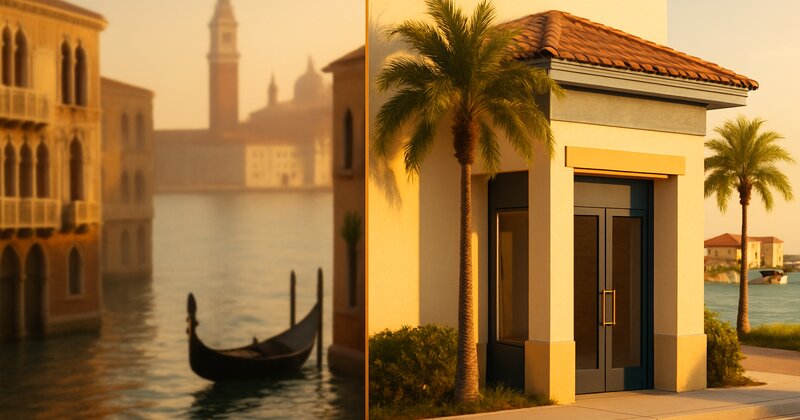
Imagine a Venice dentist losing 40% of their website traffic to Italian vacation guides
This is a hypothetical, but it's built from a pattern that's easy to spot once you know to look for it. Picture a dental practice on Venice Avenue with a problem it doesn't know exists.
Its website ranks well. Traffic looks healthy in Google Analytics, a couple of hundred visits per week. But phone calls don't match the numbers. Only a handful of appointment requests come in each week. The conversion rate is terrible.
Dig into the analytics and the issue shows up: a big share of the traffic is bouncing in under 5 seconds.
People land on the site, realize immediately it isn't what they were looking for, and leave. Mobile visitors from Google bounce the fastest.
Here's what's happening: The homepage headline says "Venice family dentistry - caring for your smile since 2012." No mention of Florida. No mention of the United States. The Google Business Profile says "Venice" with no state qualifier in the primary business name.
When someone in Rome or London Googled "dentist Venice" looking for dental tourism information or vacation planning, they land on this Venice, Florida dental practice. Wrong Venice. Wrong continent. Instant bounce.
When someone in Sarasota or North Port Googled "dentist near Venice" on their phone, Google can serve results for Venice, Italy because the search query is ambiguous and the business's geo-signals are weak.
The practice loses real local traffic to the confusion, and the international visitors it does get will never convert.
The fix takes under an hour. Change the homepage headline to "Family dentist in Venice, Florida - serving South Sarasota County since 2012." Update the Google Business Profile name to "Venice Family Dental - Venice, FL." Add schema markup with explicit geo-coordinates and "Venice, Florida, United States" in the address field. Mention "South Sarasota County" and "Venice Florida" throughout the homepage content.
What should happen next is predictable: fewer wrong-continent visitors bouncing, more visits from Venice, Nokomis, Englewood and North Port, and more of those visits turning into calls. How much depends on the business, but the direction is clear.
Same website. Same dentist. Same services. The only change is that it's now unambiguous which Venice they're in.
This is not a rare problem. If you're a business in Venice, Florida, and you're not explicitly signaling "Florida" in every piece of web content, you're competing with one of the most famous cities in Europe for search visibility. You will lose that fight unless you disambiguate.
Why Venice, Florida has a harder local SEO challenge than Sarasota or Bradenton
Most cities don't have this problem. There's only one Sarasota. There's only one Bradenton (well, there's a Bradenton Beach, but it's part of the same area). There's only one Lakewood Ranch.
Venice, Florida shares its name with Venice, Italy. That Venice is a UNESCO World Heritage Site and one of the most visited cities in Europe.
Search volume comparison (estimated monthly global searches):
- "Venice" (generic): 2,000,000+
- "Venice Italy": 500,000+
- "Venice Florida": 50,000+
The ratio is roughly 40:1. For every person searching for Venice, Florida, forty people are searching for Venice, Italy or just "Venice" with the Italian city in mind.
What this means for local businesses:
- Google's algorithm has to guess which Venice the searcher wants
- If your business doesn't clearly signal "Venice, Florida" or "Venice FL," Google may assume you're irrelevant to a "Venice" search
- AI tools like ChatGPT and Perplexity face the same disambiguation challenge (if your business name and content don't say "Florida," the AI may skip you when recommending Venice businesses)
- You're constantly fighting against the algorithmic gravity of a much larger, much more famous city
The good news: Most Venice, Florida businesses haven't figured this out yet. If you explicitly optimize for "Venice Florida" phrasing and strong geo-signals, you leapfrog competitors who are still using ambiguous language.
The three disambiguation mistakes killing Venice, Florida businesses in search
Let's look at the patterns we see in Venice business websites and Google Business Profiles that cause search visibility problems.
Mistake 1: Using "Venice" without the state qualifier
Weak headline (ambiguous): "Best pizza in Venice - family recipes since 1985"
Strong headline (unambiguous): "Best pizza in Venice, Florida - family recipes on Venice Avenue since 1985"
Why this matters: When Google or ChatGPT parses your homepage headline, "Venice" alone could mean Italy. "Venice, Florida" is unambiguous. The state qualifier is a hard geo-signal.
Where this shows up:
- Homepage headlines
- Page titles (the
<title>tag in your HTML) - Meta descriptions
- Google Business Profile business name
- Service page headlines
- About page copy
The fix: Search your website for every instance of the word "Venice" standing alone. Add ", Florida" or "FL" after it in headlines, intros, and anywhere the location is mentioned as a standalone reference.
Mistake 2: Assuming your Google Business Profile category is enough
A lot of Venice businesses set their Google Business Profile address to "Venice, FL 34285" and assume that's sufficient.
It's not.
Google Business Profile has a "primary business name" field. Many Venice businesses use their business name only:
- "Joe's Auto Repair"
- "Sunshine Dental"
- "Venice Coffee House"
The problem: When someone searches "coffee house Venice" on Google, the algorithm sees businesses named "Venice Coffee House" (ambiguous - could be Italy) and "Venice Coffee House - Venice, FL" (unambiguous - definitely Florida).
The second one gets a ranking boost because it's clearer.
The fix (if your brand name doesn't include "Venice, Florida"): Add a location qualifier to your GBP business name.
Examples:
- "Joe's Auto Repair - Venice, FL"
- "Sunshine Dental | Venice, Florida"
- "Venice Coffee House - Venice FL"
Google's guidelines say your business name should match your real-world signage. If your physical sign says "Joe's Auto Repair," you're technically supposed to list that in GBP. But many businesses add a location qualifier in GBP for clarity, and Google generally allows it if it's not spammy.
Our recommendation: If your business name doesn't include "Venice" or "Florida," add "Venice, FL" or "Venice, Florida" after your business name in GBP, separated by a dash or pipe. If your business name does include "Venice" (like "Venice Veterinary Clinic"), make sure your GBP business name says "Venice Veterinary Clinic - Venice, FL" or similar.
The goal is to remove any possible ambiguity.
Mistake 3: No geographic coordinates in schema markup (or no schema at all)
Schema markup is structured data you add to your website's code that tells Google (and other search engines) exactly what your business is, where it's located, and what it offers.
Most Venice, Florida businesses either don't have schema markup, or they have it but the geo-coordinates are missing or wrong.
Here's what proper LocalBusiness schema looks like for a Venice, Florida business:
{
  "@context": "https://schema.org",
  "@type": "LocalBusiness",
  "name": "Venice Dental Care",
  "address": {
    "@type": "PostalAddress",
    "streetAddress": "123 Venice Avenue East",
    "addressLocality": "Venice",
    "addressRegion": "FL",
    "postalCode": "34285",
    "addressCountry": "US"
  },
  "geo": {
    "@type": "GeoCoordinates",
    "latitude": "27.0997",
    "longitude": "-82.4543"
  },
  "telephone": "+1-941-555-0123",
  "url": "https://www.example.com"
}
The critical fields for disambiguation:
- addressRegion: "FL" (not "Venice" or blank)
- addressCountry: "US" (not blank - this explicitly tells Google you're in the United States, not Italy)
- geo coordinates (latitude/longitude - this is the hardest geo-signal to fake or misinterpret)
Why geo-coordinates matter: Venice, Italy is at 45.4408° N, 12.3155° E. Venice, Florida is at 27.0998° N, 82.4543° W. If your schema includes precise coordinates, Google knows with 100% certainty which Venice you're in.
Most Venice businesses skip this. They either don't have schema at all, or they have basic schema without the geo field.
We covered schema implementation in detail in our schema markup guide. If you're a Venice, Florida business, adding geo-coordinates to your schema is not optional. It's the single strongest disambiguation signal you can send.
How to check if your business is being confused with Venice, Italy (and fix it in one afternoon)
Let's run a quick check. This will take 15-20 minutes.
Step 1: Google "[your business name]" in an incognito window
Open an incognito or private browsing window (so Google doesn't use your location or search history). Google your exact business name.
Look at the results:
- Does your Google Business Profile appear in the right panel or map pack?
- Does it say "Venice, FL" clearly in the GBP address?
- Click your website. Does the homepage mention "Venice, Florida" or "Florida" in the first screen (before scrolling)?
If your GBP says "Venice" with no state, or if your website doesn't mention Florida above the fold, you've found your first problem.
Step 2: Google "[your service] Venice" (no state qualifier)
Search "[your service] Venice" - for example, "dentist Venice" or "pizza Venice" or "real estate Venice."
Look at the results:
- Do you see Venice, Italy results mixed in?
- Do you see Venice, Florida results that clearly say "Florida" or "FL"?
- Does your business appear? If yes, does your listing clearly indicate you're in Florida?
If Google is showing a mix of Italy and Florida results, or if your listing is ambiguous, you're competing with Italian businesses for visibility. You need to strengthen your geo-signals.
Step 3: Check your schema markup
View your website's source code (right-click on your homepage, select "View Page Source"). Search (Ctrl+F or Cmd+F) for "schema" or "@type" or "LocalBusiness."
Do you have schema markup?
- If no: You need to add it. This is a job for your web developer or SEO specialist.
- If yes: Look for the "geo" field with latitude and longitude. Is it there? Is it accurate?
To find your exact coordinates: Google "Venice Florida coordinates" or use Google Maps. Right-click on your business location on the map and select the coordinates that appear. Copy them.
Venice, Florida is approximately 27.0998° N, 82.4543° W. If your schema shows coordinates near 45° N, 12° E, you've accidentally used Venice, Italy's coordinates (this happens more often than you'd think when developers copy-paste schema templates).
Step 4: Ask ChatGPT or Perplexity about your business
Open ChatGPT or Perplexity. Ask: "What can you tell me about [your business name]?"
Does the AI:
- Identify your business correctly as being in Venice, Florida?
- Confuse you with a Venice, Italy business?
- Have no information about you at all?
Then ask: "Best [your service] in Venice, Florida" - for example, "best restaurants in Venice, Florida."
Does your business appear in the AI's recommendations? If not, the AI doesn't have strong enough signals to associate you with Venice, Florida specifically. You need more mentions and more structured data. Your website and directory listings also need clearer geographic context.
We wrote a separate guide on which AI tools your customers are actually using if you want to go deeper. For Venice businesses, the disambiguation layer is extra important because AI tools are just as prone to Venice/Venice confusion as Google is.
The "Venice, Florida" vs. "Venice FL" phrasing question (and what actually works)
Business owners ask this all the time: Should I write "Venice, Florida" or "Venice FL" on my website and marketing materials?
The answer: Both, strategically.
"Venice, Florida" (spelled out) works better for:
- Homepage headlines and introductions (more natural to read)
- About page copy and storytelling
- Blog post titles and body content
- Anywhere a human is reading full sentences
Example: "Family-owned insurance agency serving Venice, Florida and South Sarasota County since 2005."
"Venice FL" (abbreviated) works better for:
- Page titles and meta descriptions (character limits)
- Google Business Profile business name (shorter, more scannable)
- URL slugs (cleaner)
- Schema markup addressRegion field (standard two-letter state codes)
Example page title: "Auto Insurance Venice FL | Affordable Coverage | Smith Insurance"
The hybrid approach (what we recommend):
Use "Venice, Florida" in your main headline and first paragraph. Use "Venice FL" in subheadings, page titles, and secondary mentions.
Example homepage structure:
Headline: "Licensed roofing contractor in Venice, Florida - serving Sarasota County since 2010"
Subheadline: "Residential and commercial roof repair, replacement, and inspection. Family-owned and operated in Venice FL."
Intro paragraph: "We're a Venice, Florida-based roofing company specializing in tile, shingle, and metal roofing for homes and businesses throughout South Sarasota County, including Venice, Nokomis, Englewood, and North Port."
What this does:
- First mention uses full "Venice, Florida" (strong geo-signal, natural to read)
- Second mention uses "Venice FL" (reinforces location, more concise)
- Third mention uses "Venice, Florida" again in context (with surrounding cities for service area clarity)
The pattern: Spell it out the first time. Abbreviate or vary thereafter. Never use "Venice" alone without a state qualifier in the first screen of your homepage.
Why mentioning South Sarasota County helps Venice businesses rank better
Venice is not its own county. It's part of Sarasota County, in the southern portion.
A lot of Venice businesses forget to mention this.
Here's why "South Sarasota County" or "Sarasota County" mentions matter:
1. County-level searches are real
People search "roofer Sarasota County" or "real estate Sarasota County" or "property appraiser Sarasota County." If your website doesn't mention Sarasota County, you're invisible to those searches.
2. County mentions strengthen your Florida geo-signal
"Venice" alone is ambiguous. "Venice, Florida" is better. "Venice, Florida in South Sarasota County" is unambiguous and geographically specific. It tells Google exactly where you are in a way that's harder to misinterpret.
3. You capture searchers who know the region but not the city
Snowbirds, retirees, and people moving to the area often search by county first. "Best restaurants Sarasota County" or "homes for sale South Sarasota County." If your Venice business mentions Sarasota County on your homepage or service pages, you show up for those broader searches.
How to incorporate this on your homepage:
Weak (no county mention): "Venice insurance agency helping families protect what matters most."
Strong (county mentioned): "Venice FL insurance agency for families and small businesses throughout South Sarasota County since 2008."
Even stronger (county + surrounding cities): "Insurance agency in Venice, FL serving South Sarasota County including Venice, Nokomis, Englewood, Osprey, and North Port. Licensed in Florida since 2008."
The surrounding cities list does two things:
- Captures neighborhood and city-level searches ("insurance Nokomis" or "insurance Englewood")
- Reinforces that you're in Florida (Nokomis, Englewood, Osprey are all recognizable Florida place names)
Most Venice businesses mention Venice and stop. Add Sarasota County. Add the surrounding towns. You'll rank for more search queries and remove any remaining geographic ambiguity.
Hypothetical example: a Venice Realtor who rewrites their homepage to show up in ChatGPT results
Let's walk through a made-up but typical Venice real estate agent. The name and numbers below are invented for illustration.
Before:
- Homepage headline: "Luxury real estate in Venice - your trusted advisor for waterfront living"
- No mention of "Florida" in the headline or first paragraph
- Homepage content: 8 mentions of "Venice," 0 mentions of "Florida," 0 mentions of "Sarasota County"
- Schema markup: Present, but no geo-coordinates, addressCountry field was blank
- Google Business Profile name: "Maria Santos - Realtor"
- Page title: "Venice Luxury Real Estate | Waterfront Homes | Maria Santos"
Search visibility:
- Google "Realtor Venice" - did not appear on page 1 (lost to Venice, Italy real estate sites and Venice Beach, California agents)
- Google "Realtor Venice Florida" - appeared at #9 (page 1, but below 8 competitors)
- ChatGPT query "best Realtor in Venice Florida" - did not appear in results
What changes (homepage and GBP rewrite):
- New headline: "Luxury waterfront real estate in Venice, Florida - serving South Sarasota County since 2015"
- Homepage intro: "I'm a Venice, FL Realtor specializing in waterfront homes, golf course properties, and luxury condos in Venice, Nokomis, Englewood, and South Sarasota County. If you're relocating to Venice, Florida or investing in Gulf Coast real estate, I'll help you find your dream home."
- Homepage content: 12 mentions of "Venice, Florida" or "Venice FL," 4 mentions of "South Sarasota County," 6 mentions of surrounding cities
- Schema markup updated: Added geo-coordinates (27.0998, -82.4543), set addressCountry to "US," set addressRegion to "FL"
- GBP business name changed to: "Maria Santos, Realtor - Venice, FL"
- Page title updated to: "Venice FL Luxury Real Estate | Waterfront Homes | Maria Santos, Realtor"
- Added a blog post: "Why Venice, Florida is the best place to retire on Florida's Gulf Coast"
A realistic goal for 60 days later:
- Google "Realtor Venice Florida" - #3 (page 1, above 6 competitors)
- Google "luxury homes Venice FL" - #2
- Google "waterfront real estate South Sarasota County" - #5 (new keyword, wasn't ranking before)
- ChatGPT query "best Realtor in Venice Florida" - appeared in AI-generated list of 5 recommended agents
What drove the improvement:
- Explicit "Venice, Florida" phrasing throughout the site (removed ambiguity)
- Geo-coordinates in schema (strongest possible geo-signal)
- County and surrounding city mentions (broader keyword targeting)
- GBP name update (clearer local signal)
- Fresh content with "Venice, Florida" in the title (one blog post, more text to parse)
Why the leads get better, not just more numerous: someone who searches "Venice Florida real estate" already knows where they want to buy. Those are the people an agent wants on the phone. Someone who searches "Venice real estate" could be daydreaming about a palazzo on the Grand Canal.
The money side: in real estate, one extra closing a quarter can be worth more than the whole cost of a homepage rewrite and a schema update. Work out what a single extra customer is worth in your own business, then compare it with the cost of an afternoon spent fixing your headline, title and schema. For most Venice businesses the math isn't close.
The retiree and snowbird search market (and why Venice businesses need to own it)
Venice, Florida has one of the highest median age demographics in the United States. The city markets itself as a retirement destination. Snowbirds, retirees, and soon-to-be retirees are a massive chunk of the customer base for Venice businesses.
Here's how they search:
Search pattern 1: Researching the move
Someone in Ohio or Michigan is considering retiring to Florida. They Google:
- "Best places to retire in Florida"
- "Venice Florida vs Sarasota for retirees"
- "Is Venice Florida a good place to retire"
- "Cost of living Venice Florida"
- "Things to do Venice Florida for seniors"
If your business website has content that answers these questions, you capture traffic early in their decision process.
Content ideas for Venice businesses:
- Blog post: "Why Venice, Florida is the perfect retirement destination on the Gulf Coast"
- Service page: "Helping retirees and snowbirds find homes in Venice, FL - your Venice Florida relocation guide"
- FAQ page: "What makes Venice, Florida different from Sarasota or Naples?"
The goal: Be the business that educates them about Venice, Florida while they're still researching. When they move here, they'll remember you.
Search pattern 2: Preparing for snowbird season
Snowbirds are seasonal residents who live in Venice 4-6 months per year, typically November through April. They search for local services before they arrive or right after landing.
- "Dentist Venice Florida" (finding a local dentist for their winter stay)
- "Car detailing Venice FL" (getting their car serviced after driving down from up north)
- "Best restaurants Venice Florida" (planning where to eat)
- "Home maintenance Venice FL" (hiring someone to check their condo while they're gone)
These searches spike in October-November (just before snowbird season starts) and again in March-April (just before they head north).
If your website and Google Business Profile clearly say "Venice, Florida" and mention snowbird-friendly services, you capture this seasonal traffic.
Example homepage callout for a Venice service business:
"Snowbird-friendly scheduling - we'll work around your travel plans. Serving year-round residents and seasonal visitors in Venice, FL since 2010."
Why this works: It signals "we understand our market." Snowbirds see this and think, "Okay, they get it. They won't give me a hard time if I need to reschedule because I'm only here half the year."
Search pattern 3: Asking AI for recommendations
Retirees and snowbirds increasingly use ChatGPT, Perplexity, and AI-powered search to plan their move or their season in Venice.
Common AI queries:
- "What's the best area to live in Venice, Florida for retirees?"
- "Best doctors in Venice, Florida"
- "Restaurants in Venice, Florida near the beach"
- "Things to do in Venice, Florida for seniors"
If your business has strong online presence - clear geo-signals, good reviews, mentions in local blogs and directories - the AI is more likely to recommend you.
We covered AI search strategy in our AI search overview post. For Venice businesses, the key is making sure every mention of your business online says "Venice, Florida" not just "Venice." AI tools scrape content from across the web. If half your mentions say "Venice" and half say "Venice, Florida," the AI may get confused about your location.
Consistency matters. Every directory, every review response, every blog mention should say "Venice, Florida" or "Venice FL."
The Venice Island vs. mainland distinction (and whether it matters for SEO)
Venice, Florida is actually split into two main areas:
- Venice Island (the downtown core, west of the Intracoastal, connected by bridges)
- Mainland Venice / East Venice (east of the Intracoastal, includes Venice Gardens, Venetian Golf & River Club area, etc.)
Do you need to optimize for "Venice Island" as a separate keyword?
Short answer: Only if your business is on the island and you're targeting hyper-local searches.
Search volume for "Venice Island Florida" is low (maybe 500-1,000 searches per month, compared to 50,000+ for "Venice Florida"). Most people searching for Venice businesses just search "Venice FL" or "Venice Florida."
But there are edge cases where "Venice Island" targeting makes sense:
- Downtown businesses (restaurants, shops, galleries on Venice Avenue or Nassau Street) can mention "Venice Island" or "downtown Venice" to capture foot traffic searches like "lunch Venice Island" or "things to do downtown Venice FL"
- Real estate agents selling island properties might create a page titled "Homes for sale on Venice Island, Florida" to capture that specific buyer intent
- Tourism-facing businesses (bike rentals, vacation rentals, beach services) can mention "Venice Island" because tourists often search for "hotels Venice Island Florida" or "vacation rentals Venice Island"
For most service businesses (HVAC, plumbing, legal, medical, insurance), "Venice, Florida" is sufficient. You don't need to split hairs between island and mainland in your SEO strategy.
If you are on Venice Island and you want to highlight it, here's how:
Homepage mention: "Located in downtown Venice on Venice Island, two blocks from Venice Beach. Serving all of Venice FL and South Sarasota County."
That gives you the hyperlocal signal (Venice Island, downtown) while still capturing the broader "Venice Florida" searches.
What to do about your Google Business Profile categories (and how to avoid Italy confusion)
Google Business Profile lets you select a primary category and up to 9 additional categories.
Your primary category should be your core service - "Dentist," "Restaurant," "Real Estate Agency," "Auto Repair Shop," etc.
But here's the trap: If you select a category that's heavily associated with Venice, Italy tourism, Google may occasionally misinterpret your business location.
Example problem categories:
- "Tourist attraction" (heavily associated with Venice, Italy)
- "Art gallery" (Venice, Italy has thousands)
- "Hotel" (if you're a boutique hotel or bed-and-breakfast in Venice, FL, make sure your name and description scream "Florida")
The fix: In your GBP description, lead with "Venice, Florida" immediately.
Weak GBP description (ambiguous): "Charming boutique hotel near the beach with Italian-inspired architecture and gondola tours."
Why this is a problem: "Italian-inspired architecture" and "gondola" are Venice, Italy signals. Google's algorithm may get confused.
Strong GBP description (unambiguous): "Boutique hotel in Venice, Florida on Venice Island, two blocks from Venice Beach. Italian-inspired architecture, Gulf Coast views, and complimentary gondola tours on the Intracoastal Waterway. Serving Venice, FL and South Sarasota County since 2015."
What changed:
- "Venice, Florida" in the first sentence
- "Venice Beach" (Florida-specific landmark)
- "Gulf Coast views" (geographic context)
- "Intracoastal Waterway" (Florida-specific, not canals)
- "Serving Venice, FL and South Sarasota County" (explicit state and county)
Even if your business is "Venice-themed" or Italian-inspired, you need to over-communicate that you're in Florida. The algorithm is not smart enough to infer geography from context when you're competing with a globally famous city.
Real-world schema markup example for a Venice, Florida business (copy this)
Here's a complete LocalBusiness schema markup example for a fictional Venice, Florida restaurant. You can adapt this template for your own business.
{
  "@context": "https://schema.org",
  "@type": "Restaurant",
  "name": "Coastal Kitchen Venice",
  "image": "https://www.example.com/images/restaurant-exterior.jpg",
  "address": {
    "@type": "PostalAddress",
    "streetAddress": "456 Venice Avenue West",
    "addressLocality": "Venice",
    "addressRegion": "FL",
    "postalCode": "34285",
    "addressCountry": "US"
  },
  "geo": {
    "@type": "GeoCoordinates",
    "latitude": "27.0998",
    "longitude": "-82.4543"
  },
  "url": "https://www.example.com",
  "telephone": "+1-941-555-0199",
  "servesCuisine": "Seafood, American",
  "priceRange": "$$",
  "openingHoursSpecification": [
    {
      "@type": "OpeningHoursSpecification",
      "dayOfWeek": ["Monday", "Tuesday", "Wednesday", "Thursday"],
      "opens": "11:00",
      "closes": "21:00"
    },
    {
      "@type": "OpeningHoursSpecification",
      "dayOfWeek": ["Friday", "Saturday"],
      "opens": "11:00",
      "closes": "22:00"
    },
    {
      "@type": "OpeningHoursSpecification",
      "dayOfWeek": "Sunday",
      "opens": "10:00",
      "closes": "21:00"
    }
  ],
  "sameAs": [
    "https://www.facebook.com/coastalkitchenvenice",
    "https://www.instagram.com/coastalkitchenvenice"
  ]
}
Key fields that prevent Venice/Venice confusion:
- addressRegion: "FL" (not Italy)
- addressCountry: "US" (not Italy)
- geo coordinates: 27.0998, -82.4543 (Venice, Florida coordinates - Venice, Italy is 45.44, 12.31)
To add this to your website: Copy this template and replace the example data with your actual business information. Then paste it into the <head> section of your website's HTML. If you're using WordPress, use a schema plugin or ask your developer to add it.
If you're not comfortable editing code, custom website builds from Suncoast Local include properly structured schema markup with geo-coordinates and full local business data as a standard feature.
Why "near me" searches work differently in Venice, Florida than in larger cities
"Near me" searches ("dentist near me," "pizza near me," "roofer near me") rely on Google's understanding of the searcher's physical location.
If you're standing in Venice, Florida and you search "dentist near me," Google should show you Venice, Florida dentists.
But here's the catch: If your geo-signal is weak and Google is unsure whether your business is in Venice, Florida or somewhere else, you won't show up in "near me" results even if you're two blocks away.
What strengthens your "near me" visibility:
- Google Business Profile address in Venice, FL (with correct ZIP code: 34285, 34292, or 34293)
- Geo-coordinates in schema markup (tells Google your exact latitude/longitude)
- Reviews that mention Venice, Florida ("Great dentist in Venice, FL - highly recommend")
- Website content that mentions Venice, Florida repeatedly (homepage, service pages, contact page)
- NAP consistency across the web (your Name, Address, and Phone number are exactly the same on your website, GBP, Yelp, Facebook, and every directory)
We wrote a detailed guide on NAP consistency and local SEO. For Venice businesses, NAP consistency is extra important because any mismatch (one directory says "Venice" and another says "Venice, FL") creates ambiguity.
If your address says "Venice" in some places and "Venice, Florida" in others, Google has to guess which is correct. Make it consistent. Pick one format, "Venice, FL" or "Venice, Florida," and use it everywhere.
The ChatGPT and AI search challenge (and how to fix it now)
AI tools like ChatGPT, Perplexity, and Google's AI Overviews are increasingly answering local business queries directly.
Example query: "Best seafood restaurants in Venice, Florida"
ChatGPT's response (as of early 2025): A list of 5-8 restaurants, with brief descriptions.
If your restaurant isn't on that list, you're invisible to anyone using AI to plan their dining.
Here's why Venice, Florida businesses have an extra challenge with AI search:
AI tools scrape content from across the web - your website, review sites, blogs, directories, social media. If your business name appears online without "Florida" or "FL" context, the AI may not know which Venice you're in.
Example of what goes wrong:
Your restaurant is mentioned on a food blog: "Best pizza in Venice - try the margherita at Tony's Pizza."
ChatGPT scrapes that sentence. It sees "Venice" but no state. It may assume the blog is talking about Venice, Italy (because statistically, more food blogs talk about Venice, Italy than Venice, Florida).
Result: Your restaurant gets classified as Italian or gets ignored entirely when someone asks for Venice, Florida recommendations.
The fix: Control your online mentions.
- Your website: Every page should say "Venice, Florida" or "Venice FL" in the first paragraph
- Your Google Business Profile description: Lead with "Venice, Florida"
- Your review responses: When you respond to a Google review, mention "Venice, Florida" - e.g., "Thanks for dining with us in Venice, Florida! We're glad you enjoyed the seafood."
- Local blog mentions and PR: When a blogger or journalist writes about your business, make sure they include "Venice, Florida" in the text (send them a suggested description that includes the full location)
- Directory listings: Yelp, TripAdvisor, Facebook - make sure your address says "Venice, FL" and your description mentions "Venice, Florida"
Consistency across all mentions trains the AI to associate your business with Venice, Florida specifically.
We wrote a full guide on how AI search tools decide what to recommend - it's worth reading if you want to understand how ChatGPT and Perplexity rank local businesses.
What to put on your homepage right now (the 60-second fix)
If you're a Venice, Florida business and you want to fix your disambiguation problem today, here's the fastest win:
Find your homepage headline. Rewrite it to include "Venice, Florida" or "Venice FL."
Before: "Family dentistry you can trust - caring for smiles since 2005"
After: "Family dentistry in Venice, Florida - caring for smiles in South Sarasota County since 2005"
That's it. One sentence. 60 seconds of work.
Why this works:
- Google crawls your homepage headline first - it's a high-weight signal
- Human visitors see it immediately - it removes any location confusion
- AI tools parse your headline when summarizing your business
If you do nothing else this week, fix your homepage headline to explicitly say "Venice, Florida."
Then fix your page title (the <title> tag, which appears in Google search results and browser tabs). Make sure it says "Venice FL" or "Venice, Florida."
Example page title: "Venice FL Family Dentist | Gentle Dental Care | Dr. Smith, DMD"
Those two changes - headline and page title - will improve your geo-clarity immediately.
The surrounding cities strategy (Nokomis, Englewood, North Port, Osprey)
Venice, Florida doesn't exist in a vacuum. It's surrounded by Nokomis, Englewood, Osprey, and North Port. A lot of your customers live in those cities, not Venice proper.
If your website only says "Venice, Florida" and never mentions the surrounding towns, you're missing search traffic.
Example missed searches:
- "Dentist Nokomis FL"
- "Roofer Englewood Florida"
- "Real estate North Port"
- "Restaurant Osprey FL"
The fix: Add a service area section to your homepage or create a dedicated service area page.
Example homepage service area section:
"Serving Venice, Florida and South Sarasota County including Nokomis, Englewood, Osprey, North Port, and Laurel. Family-owned and operated since 2010."
Why this works:
- You rank for searches in those cities ("dentist Nokomis" or "roofer Englewood")
- You reinforce the Florida geo-signal (Nokomis, Englewood, Osprey are unambiguously Florida place names)
- You clarify your service area for customers wondering if you'll drive to Englewood or North Port
Pro tip: Create individual service pages for each city if search volume justifies it.
- "Venice FL [Service]" (your main page)
- "Nokomis FL [Service]"
- "Englewood FL [Service]"
Each page targets a specific city keyword and mentions the surrounding area as secondary. This is especially effective for competitive categories like real estate, legal, medical, and home services.
We covered the service area strategy in our service area trap post. The same principle applies: don't try to rank one page for five cities. Build separate pages and let each one target its own geo-keyword.
What to do this week (the Venice, Florida local SEO checklist)
Monday: Google your business name in an incognito window. Does your Google Business Profile clearly say "Venice, FL"? Does your website mention "Venice, Florida" in the headline? If not, fix both today.
Tuesday: Check your schema markup (view source, search for "LocalBusiness" or "@type"). Do you have geo-coordinates? Is addressCountry set to "US"? If not, add them or ask your developer to add them.
Wednesday: Rewrite your Google Business Profile description to lead with "Venice, Florida" and mention South Sarasota County. Example: "Family-owned Venice FL restaurant serving fresh seafood and Gulf Coast cuisine. Located on Venice Island, two blocks from Venice Beach. Serving Venice FL and South Sarasota County since 2012."
Thursday: Check your homepage for "Venice" mentions. Count how many times you say "Venice" alone vs. "Venice, Florida" or "Venice FL." Rewrite any standalone "Venice" references to include the state qualifier.
Friday: Ask ChatGPT or Perplexity: "What are the best [your category] in Venice, Florida?" - for example, "best restaurants in Venice, Florida." Does your business appear? If not, you have work to do on your online mentions and content.
That's your starting point. Most Venice, Florida businesses are still using ambiguous language and losing search traffic to Italian vacation blogs and Venice Beach, California competitors. You can leapfrog all of them by making your Florida location crystal-clear in every online touchpoint.
If you want to go further, repeat the Monday to Friday checks on your two strongest competitors and note where their geo-signals beat yours. Whatever they do better is your next task list, in that order.
Or if you'd rather start over with a site that says "Venice, Florida" clearly from the first line, we write six-page websites for local businesses from what the owner tells us on one order form, including a page for the areas you serve. It's $499 a year with hosting, your domain and a hello@ email address included. Your Venice site can be live a day or two after you pay. Start yours here or browse the portfolio first. Questions? Call (888) 348-1992.
A retiree from Michigan just asked ChatGPT "best dentist in Venice, Florida." Five dentists showed up in the answer. Yours wasn't one of them, not because you're not good, but because the AI couldn't tell which Venice you're in. Fix your geo-signals this week. Make it unambiguous. Own the search results for the Venice that matters: the one on Florida's Gulf Coast, not the one with gondolas.
Keep reading
When 'Sarasota wedding photographer' searches pull up Tampa results - fixing the radius problem
A Sarasota wedding photographer can watch ideal couples hire Tampa competitors because Google's geographic logic fails small markets. Here's how schema markup and hyper-local content fix the radius problem.

Charlotte County recovery searches: storm-proofing your business's online presence after Ian
After a hurricane, buyers verify you're open, insured, and local before spending. Here's how Charlotte County businesses storm-proof their online presence so recovery customers find you first.
Winning the 41 corridor: how Bayshore Gardens businesses compete next to the big boxes
The US 41 corridor through Bayshore Gardens is packed with national chains. Local businesses win with Spanish-language reach, genuine reviews, neighborhood loyalty, and showing up for specific service searches the big boxes ignore.