
Web Design · July 10, 2026 · 23 min read
Hurricane season and your website: the continuity checklist every Suncoast business needs
Hurricane season runs June through November in Florida. When a storm approaches, your website becomes your most critical communication channel. Here's what needs to work before the next cone shows Sarasota.
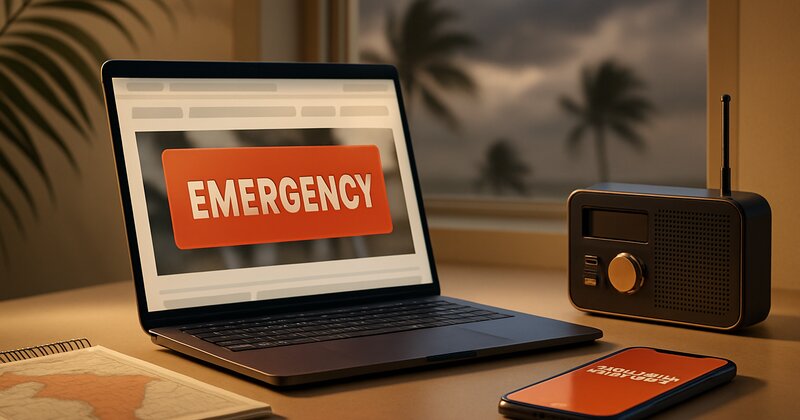
Your phone's been ringing since the 5 a.m. advisory
The National Hurricane Center just put Sarasota in the five-day cone. By 6 a.m., your phone is lighting up. Existing customers want to know if you're still taking calls. New customers need emergency service before the storm. Everyone's checking your website to see if you're open, and half of them are finding information from three months ago that says nothing about the hurricane.
Your homepage still shows your regular summer hours. No banner. No alert. No mention of storm prep, modified schedules, or how to reach you if the power goes out.
Here's what just happened: You lost a day's worth of emergency calls because 50 people looked at your site, saw no storm information, assumed you weren't available, and called the next business on their list. That business had a bright orange banner at the top of every page: "Hurricane Preparedness: We're open, scheduling storm prep services now. Call or text 941-555-0123."
They got the calls. You didn't. Same license, same service area, same capabilities. The only difference was a website banner and a plan.
This happens every June through November in Sarasota, Bradenton, Venice, and Lakewood Ranch. Hurricane season isn't one event. It's 26 weeks when a storm can spin up in the Gulf with 72 hours' notice and every business in the region needs to communicate fast: Are you open? Are you taking calls? What's your timeline? How do customers reach you if the power's out?
If your website can't answer those questions in real time, you're invisible when it matters most. And if your site goes down because your hosting can't handle a traffic spike or a power outage, you've lost the entire storm cycle - prep, impact, and recovery.
Most Suncoast businesses think about hurricane prep in terms of plywood and generators. Almost none of them think about their website as a hurricane continuity tool. That's a mistake. When a storm's coming, your website is your first responder.
Why your website matters more during hurricane season than any other time of year
Outside of hurricane season, your website might get 200-400 visits per month. Steady traffic, mostly from Google searches, people researching services, maybe 10-15% of them call or fill out a form.
When a storm enters the Gulf and Sarasota's in the cone, that changes fast.
Traffic spikes 3x-5x in 48 hours. Everyone's searching for emergency services, storm prep, generator installs, roof inspections, tree removal, plywood, sandbags. Existing customers are checking your site to see if you're still operational. New customers are scanning five websites in two minutes trying to figure out who's available right now.
If your site can't handle that surge, three things happen:
-
Your site slows down or crashes. Shared hosting plans (GoDaddy, Bluehost, HostGator) aren't built for sudden traffic spikes. Your site times out. Visitors see a loading spinner for 8 seconds and leave. You just lost 50 potential customers who never even saw your phone number.
-
Your information is outdated. Your homepage still says "Open Monday-Friday 8-5." It's Wednesday at 6 p.m., the storm makes landfall Friday morning, and no one knows if you're taking calls tomorrow or if you've already shut down to prep your own property.
-
You're unreachable after the storm. Power goes out. Your hosting is in a Sarasota data center that's offline. Your website is down for three days. Your competitor's site (hosted on a distributed cloud platform) stayed up. They got every post-storm call in your category.
The businesses that win during hurricane season aren't necessarily the biggest or the best. They're the ones that communicate clearly, update fast, and stay online when everyone else goes dark.
Your website is your storm communication hub. If it's not ready, you're flying blind.
The continuity checklist: seven things your website needs before the next storm
This isn't a full disaster recovery plan. This is the bare minimum your website needs to function as a communication tool during hurricane season.
1. An emergency banner system you can update in under 60 seconds
When the 5 a.m. advisory drops and Sarasota's in the cone, you need to get a message on your website immediately. Not "email your web developer and wait six hours." Not "log into WordPress and figure out where the banner plugin is." You need to type a message, click publish, and have it live at the top of every page within 60 seconds.
What this looks like:
A bright, high-contrast banner (orange or red background, white text) that sits above your header on every page. The message is short, clear, and actionable:
"Hurricane Preparedness Update: We're open and scheduling storm prep services. Call 941-555-0123 or text for fastest response. Last updated: Wed, Sept 3, 9:00 a.m."
Why the timestamp matters: When people see storm information, they need to know it's current. If your banner doesn't say when it was updated, visitors assume it's old and ignore it.
How to set this up:
If your site is built on WordPress, use a plugin like Notification Bar or Hello Bar. Set it up now (not when the storm's coming). Write a template message, save it as a draft, and practice publishing it. Time yourself. If it takes more than 60 seconds, simplify the process.
If your site is custom-built, ask your developer to add an admin control for an emergency banner. It should be a simple text field with a publish toggle. No design skills required. Type, click, done.
If you're on Wix, Squarespace, or another builder, most of them have announcement bar features. Set it up now. Test it. Make sure you can update it from your phone (because when the storm's coming, you might not be at your desk).
The businesses that nail this update their banner 2-3 times as the storm approaches:
- Monday (storm in the Gulf): "Monitoring Tropical Storm Alex. We're open and taking calls. Check back for updates."
- Wednesday (storm strengthens, cone tightens): "Hurricane Alex Update: Scheduling last storm-prep calls through Thursday 5 p.m. We'll reopen for recovery work as soon as it's safe."
- Friday (post-storm): "Post-Hurricane Update: We're operational. Prioritizing emergency calls. Expect 24-48 hour response time. Call 941-555-0123."
Each update takes 60 seconds. Each one tells customers you're paying attention and you're available. That's the difference between getting the call and losing it.
2. A mobile-first contact method that works when cell service is spotty
When a storm hits, power goes out, internet drops, and cell towers get overloaded. Voice calls often fail. Text messages usually get through because they use less bandwidth.
If your website only lists a phone number with no mention of texting, you're losing people who can't get a call through.
What to do:
Add a text-capable phone number to your site and make it obvious. If your business line already accepts texts, great. If not, set up a Google Voice number (free) or use a service like TextNow or Burner. Forward texts to your cell.
Update your contact section:
"Call or text: 941-555-0123 (texting often works better during storms)"
Put this in your emergency banner, your header, and your contact page. Make texting the default during hurricane season.
Why this matters: After Hurricane Ian (2022), Sarasota and Bradenton businesses that emphasized texting got 2-3x more inquiries than businesses that only listed a phone number. When cell service is degraded, texting is often the only thing that works.
3. Hosting that stays online when Sarasota loses power
Most small-business websites are hosted on shared servers in regional data centers. If that data center loses power or connectivity, your site goes offline until it's restored.
During Hurricane Ian, dozens of Sarasota business websites went dark for 2-5 days because their hosting was local and the data center lost power. Their competitors who used distributed cloud hosting (AWS, Google Cloud, Cloudflare) stayed online the entire time.
Check your hosting now:
Log into your hosting account (or ask whoever manages your site). Where is your server located? Is it a single physical location or distributed across multiple data centers?
Red flags:
- Shared hosting on a single server in Florida
- Local hosting provider with one data center
- Hosting bundled with your domain registrar (GoDaddy, HostGator, Bluebird, 1&1)
Green flags:
- Distributed cloud hosting (AWS, Google Cloud, Cloudflare, Netlify, Vercel)
- Managed WordPress hosting with redundancy (WP Engine, Flywheel, Kinsta)
- Hosting provider with multiple geographically distributed data centers
If your hosting is local or single-server, migrate before hurricane season. This isn't a one-day project, but it's not complicated. A competent developer can migrate a small-business site to better hosting in 2-4 hours.
We build all of our custom websites on distributed infrastructure specifically so they stay online during storms. It costs a little more per month ($20-40 vs. $10-15 for shared hosting), but when your site is your primary communication channel during an emergency, it's worth it.
4. Automatic daily backups stored off-site
If your hosting goes down, or your site gets hacked, or something breaks during a storm, you need a recent backup you can restore fast.
Most shared hosting plans claim to back up your site, but those backups are stored on the same server. If the server goes offline, the backups are offline too. That's not a backup. That's a copy on the same failing hard drive.
What you need:
Automatic daily backups stored in a separate location (a different cloud provider, a different data center, or your own local drive). The backup should be:
- Automatic (runs every day without you remembering to do it)
- Off-site (not stored on the same server as your live site)
- Restorable in under an hour (test this - download a backup and make sure you can actually restore it)
How to set this up:
If you're on WordPress, use a plugin like UpdraftPlus, BackupBuddy, or Jetpack Backup. Configure it to back up to Google Drive, Dropbox, or AWS S3 (not your hosting server). Set it to run nightly.
If you're on Squarespace, Wix, or Shopify, they handle backups automatically, but you should still export a manual backup once a month and store it somewhere safe (Google Drive, Dropbox).
If you have a custom-built site, ask your developer how backups work. If the answer is vague or "I think the hosting does that," push for specifics. You should be able to log in somewhere and see a list of dated backups.
Test your backups once a year. Download a backup file and confirm you can open it. If it's a database dump, make sure you know how to restore it. If you can't restore a backup yourself, document the process and keep it somewhere accessible (not just on your website, which might be down).
5. An updated "temporarily closed" plan for your Google Business Profile
When you close for a storm, your Google Business Profile needs to reflect that immediately. If someone searches "roofer Sarasota open now" two hours before the storm and your GBP still says you're open, they'll call, get no answer, leave a bad review, and move on.
What to do:
Log into your Google Business Profile. Find the "Mark as temporarily closed" option. Practice using it now so you know where it is.
When to use it:
- When you stop taking new calls to prep your own property (usually 12-24 hours before landfall)
- When you evacuate
- When the storm hits and you're offline
When to turn it back on:
- As soon as you're operational again, even if you're only taking emergency calls
Important: When you mark your business as temporarily closed, Google shows "Temporarily closed" in search results and maps. Don't leave it on longer than necessary. The day after the storm, if you're taking calls, turn it back on and update your hours.
Add a storm update post to your GBP:
Before you close, publish a Google Business Profile post with your storm plan:
"Hurricane Milton update: We're closing at 5 p.m. Wednesday to secure our property and ensure our team's safety. We'll reopen Thursday or Friday depending on storm impact and road conditions. For emergencies, text 941-555-0123. Stay safe, Sarasota."
Include a photo if you have one (your team prepping, your truck, anything relevant). Posts show up in your GBP and sometimes in search results. It's another signal that you're communicating and you'll be back.
6. A simple status page (or a pinned social post) customers can check without your website
If your website goes offline, where do people check for updates?
Most businesses default to Facebook. That's fine, but not everyone uses Facebook, and Facebook's algorithm doesn't guarantee your post will show up in people's feeds.
Better options:
- A pinned post on your Google Business Profile (this shows up in Google search and maps even if your website is down)
- A pinned Instagram or Facebook post (pin it to the top of your feed so it's the first thing people see)
- A simple status page on a separate platform (a free Google Doc set to public, a Notion page, a Carrd landing page - something hosted separately from your main site)
What the status page should say:
"Hurricane [name] status update for [Business Name]:
Last updated: [date/time]
Current status: [Open / Closed / Limited service]
Next update: [when you'll post again]
How to reach us: [phone, text, email]
What to expect: [timeline, service availability, response time]"
Update it 1-2 times per day as the situation changes. Share the link in your email signature, your social bios, and your emergency banner (if your main site is still up).
Example: "For real-time storm updates, visit our status page: [link]"
This gives people a reliable place to check even if your main website is unreachable.
7. Pre-written email and social templates you can deploy in 5 minutes
When the storm's 48 hours out, you don't have time to write thoughtful communications from scratch. You need templates ready to go.
Three templates every Suncoast business should have:
Template 1: Storm approaching (sent 48-72 hours before landfall)
Subject: [Business Name] Hurricane [name] update
Hi [name],
We're monitoring Hurricane [name] and wanted to update you on our operations:
- We're currently open and taking calls - We're scheduling [service type] through [day/time] - We'll close [day/time] to secure our property and keep our team safe - We'll reopen as soon as it's safe, likely [day]
For urgent needs, call or text [number].
Stay safe, [Your name] and the team at [Business Name]
Template 2: Storm imminent (sent 12-24 hours before landfall)
Subject: [Business Name] closing for Hurricane [name]
Hi [name],
Hurricane [name] is expected to impact our area [day]. We're closing at [time] today and will reopen [day] or as soon as conditions allow.
For emergencies, text [number] - we'll respond as soon as we can.
Please stay safe and follow local emergency guidance.
[Your name]
Template 3: Post-storm (sent 24-48 hours after landfall)
Subject: [Business Name] is back online
Hi [name],
We're operational and taking calls. Our team is prioritizing emergency [service type] and working through requests in the order received.
Current response time: [24-48 hours / same-day for emergencies / etc.]
Call or text [number] to schedule.
We hope you and your family are safe.
[Your name] and the team at [Business Name]
Save these templates in a Google Doc or a note in your phone. When the storm's coming, copy, customize, and send. Five minutes, done.
Send them to:
- Your email list (all past customers)
- Your active project contacts
- Your scheduled appointments for the next week
Post a version on social media. The goal is visibility - let people know you're paying attention and you have a plan.
What actually breaks during a storm (and what to check first when you're back online)
Let's say the storm passed. Power's back. You're operational. You open your website and... something's broken.
Here's what to check first:
1. Is your site loading?
Open your homepage on your phone and your computer. Does it load? How fast? If it's slow or timing out, your hosting might be overloaded or degraded. Contact your hosting provider.
2. Are your contact forms working?
Fill out your contact form and submit it. Did you get the email? Check your spam folder. If forms aren't working, check your email settings (this breaks more often than you'd think). If you use a plugin, make sure it didn't break during a WordPress or plugin update.
3. Is your phone number still correct?
This sounds obvious, but we've seen websites where the phone number in the header is different from the phone number on the contact page, which is different from the number in the footer. If you set up a temporary storm hotline or a Google Voice number, make sure you updated it everywhere (or reverted it post-storm).
4. Is your Google Business Profile back to "Open"?
If you marked your GBP as temporarily closed, turn it back on as soon as you're operational. Update your hours if they've changed.
5. Are your social profiles updated?
Unpin your storm updates. Update your bio if it says "Closed for Hurricane [name]." Post a "we're back" update with a photo of your team or your truck back on the road.
6. Did any of your pages break?
Click through your top 5-10 pages (homepage, services, about, contact, portfolio). Do images load? Do buttons work? Are there any error messages? If something's broken, document it and contact your developer.
Most storm-related website issues are small and fixable in under an hour. But if you don't check, you won't know your contact form is broken until you wonder why no one's filling it out.
Real example: a Bradenton roofer who got 40 storm-prep calls in 48 hours (and a competitor who got 3)
Let's look at two Bradenton roofing companies during Hurricane Ian's approach in September 2022.
Company A (prepared):
- Added an orange banner to their website 72 hours before landfall: "Hurricane Ian prep: We're scheduling roof inspections and tarp installs through Wednesday 5 p.m. Call or text 941-555-0123."
- Updated their Google Business Profile with a post and marked themselves as temporarily closed Thursday morning
- Sent an email to their customer list with storm prep tips and their availability
- Their website stayed online throughout the storm (distributed hosting)
- Updated their banner Friday morning: "Post-Ian update: We're operational. Prioritizing emergency roof repairs. Text for fastest response."
Result: 40 inbound calls/texts in the 48 hours before the storm. 60+ calls in the 72 hours after the storm. Booked solid for two months.
Company B (unprepared):
- No website updates. Homepage still showed regular hours and a generic "Quality roofing since 1998" message.
- No GBP update. Profile still said "Open" during the storm.
- No email communication.
- Website went offline Thursday afternoon and didn't come back until Saturday (shared hosting in a Sarasota data center that lost power)
- By the time their site was back online, most of the post-storm demand had already called someone else
Result: 3 inbound calls in the 48 hours before the storm. 12 calls in the 72 hours after (compared to 60+ for Company A). Lost thousands of dollars in revenue to competitors who communicated better.
The difference wasn't quality, credentials, or years in business. Company B had been around longer and had more reviews. The difference was communication and continuity. Company A had a plan and executed it. Company B winged it and lost.
The "monitoring" trap: telling people you're watching the storm (but not what you're going to do)
Here's a mistake we see constantly during hurricane season:
A business posts on Facebook: "We're monitoring Tropical Storm Alex and will keep you updated."
That's not helpful. Everyone's monitoring the storm. What people want to know is:
- Are you open right now?
- How long will you stay open?
- When will you close?
- When will you reopen?
- How do I reach you if I need you?
Compare these two messages:
Weak (monitoring trap): "We're closely monitoring Hurricane Ian and will keep you posted. Stay safe, everyone!"
Strong (clear plan): "Hurricane Ian update: We're open through Wednesday 5 p.m., then closing to prep for the storm. We'll reopen Friday or Saturday depending on conditions. For emergencies, text 941-555-0123. Last updated: Monday, Sept 26, 2 p.m."
The second message tells people what to expect and what to do. The first message says nothing.
If you're going to post a storm update, include:
- Current status (open/closed)
- When that changes (closing Wednesday 5 p.m.)
- When you'll reopen (Friday or Saturday)
- How to reach you (text 941-555-0123)
- When you updated the message (Monday 2 p.m.)
That's a complete storm update. Anything less is just noise.
Why June-November continuity planning matters even if no storm hits
Let's say you do all of this - you set up the banner system, you upgrade your hosting, you write the templates, you test your backups - and then hurricane season ends with no major storms in the Gulf.
Was it wasted effort?
No. Because you now have:
- A fast way to communicate urgent information on your website (useful for any emergency, not just hurricanes - COVID shutdowns, unexpected closures, major project announcements)
- Better hosting that loads faster and handles traffic spikes (useful year-round)
- Reliable backups (useful if your site gets hacked, breaks during an update, or you accidentally delete something)
- Email templates you can adapt for other situations (holiday hours, service changes, team updates)
- A documented process your team can follow when you're not available
The businesses that treat hurricane season continuity planning as "just in case" miss the point. This isn't disaster prep. This is operational resilience. The same systems that keep you online during a hurricane keep you online when your hosting has an outage, when your site gets hit by a traffic spike, when you need to communicate fast for any reason.
You're not preparing for one storm. You're building a website that works under pressure.
What about multi-location businesses? (Sarasota + Bradenton + Venice)
If you serve multiple cities - Sarasota, Bradenton, Venice, Lakewood Ranch - your storm communication gets more complex because storms don't hit everywhere equally.
Hurricane Ian made landfall in Fort Myers but Sarasota and Bradenton saw significant impact. Venice saw less. Lakewood Ranch (inland) had wind and rain but minimal flooding.
If you're a multi-location or service-area business, your storm updates need to be location-specific:
"Hurricane Ian update: Our Sarasota and Bradenton teams are closed Thursday-Friday. Our Venice team is operating on a limited schedule. For emergencies in any location, text 941-555-0123 and we'll route you to the nearest available team."
Option 1: One website, location-specific banner
Use your emergency banner to clarify which locations are affected:
"Sarasota and Bradenton offices closed for Hurricane Ian. Venice office open with limited hours. Updated Monday 3 p.m."
Option 2: Separate pages for each location
If you have dedicated pages for each city (yoursite.com/sarasota, yoursite.com/bradenton), update each page with location-specific information.
Option 3: Google Business Profile posts for each location
If you have separate GBP listings for Sarasota, Bradenton, and Venice, post location-specific updates to each profile.
The key: Don't make people guess which location you're talking about. Be explicit. "Our Bradenton location is closed" is better than "We're closed for the storm" when you have three locations and only one is actually closed.
How much does storm-ready hosting and continuity infrastructure cost?
Let's break it down.
Upgrading from shared hosting to managed/distributed hosting:
- Shared hosting (GoDaddy, Bluehost): $10-15/month
- Managed WordPress hosting (WP Engine, Flywheel, Kinsta): $25-50/month
- Distributed cloud hosting (AWS, Google Cloud via a developer): $30-60/month
Difference: $15-45/month, or $180-540/year.
Backup service (if not included in hosting):
- UpdraftPlus Premium: $70/year
- BackupBuddy: $80/year
- Jetpack Backup: $10-40/month
Emergency banner system:
- Free if you use a plugin or built-in feature
- $50-150 one-time setup fee if you need a developer to add it
Total annual cost to hurricane-proof your website: $250-700/year.
What you get for that:
- A site that stays online during storms when your competitors go dark
- Faster load times year-round
- Reliable backups you can restore in an emergency
- The ability to communicate updates in under 60 seconds
Return on investment: If you get one post-storm customer you wouldn't have gotten otherwise - one roof repair, one generator install, one tree removal - you've paid for the whole year. Most Suncoast businesses that stayed online during Ian saw 10-20+ additional customers in the weeks after the storm.
For context, check our pricing page to see what this kind of infrastructure is included in a professionally managed site. It's not exotic or expensive. It's a baseline standard that most small-business websites skip because they don't think about storms until the cone is drawn.
Real question: What if my website is old and barely works already? Should I fix continuity first or rebuild?
If your website is 5+ years old, loads slowly, looks dated, and doesn't work well on mobile, you probably need a rebuild more than you need hurricane continuity features.
But here's the catch: A rebuild takes 4-8 weeks (sometimes longer). If it's May and you're thinking "I should rebuild my site before hurricane season," you're cutting it close.
Our recommendation:
If it's April-May: Start the rebuild now. Make sure your developer builds on storm-ready infrastructure (good hosting, backups, mobile-first design, fast load times). Plan to launch by mid-June.
If it's June or later: Don't start a rebuild mid-season. Instead, add the bare minimum continuity features to your existing site (emergency banner, hosting check, backup system). Survive the season. Rebuild in December-March when you have time to do it right.
Never launch a new website two weeks before a storm. You want time to test, fix bugs, and make sure everything works before you're relying on it in an emergency.
If you're thinking about a rebuild and you want to make sure it's storm-ready by design, take a look at how we approach custom website builds. Every site we build is hosted on distributed infrastructure, backed up daily, and built to stay online when traffic spikes or infrastructure fails. That's not a premium feature. That's the baseline.
The one-page storm communication plan you should print and keep in your go-bag
Here's a simple one-page checklist you can print, laminate, and keep with your hurricane supplies. When the storm's 48 hours out, pull it out and run through it.
Hurricane Website Continuity Checklist
☐ Update emergency banner on website (status, hours, contact info, timestamp)
☐ Post storm update to Google Business Profile (what you're doing, when you're closing, how to reach you)
☐ Send email to customer list (template 1 or 2 depending on timeline)
☐ Post storm update to Facebook and Instagram (pin it)
☐ Update voicemail message (mention storm, give alternate contact method)
☐ Test website on phone and desktop (does it load? is banner visible?)
☐ Mark GBP as "temporarily closed" when you shut down (remember to turn it back on post-storm)
☐ Confirm backup ran in last 24 hours (check backup log)
☐ Document any issues or downtime (for post-storm review)
Post-storm:
☐ Update banner (we're back, response time, how to reach us)
☐ Turn GBP back to "open"
☐ Unpin storm posts on social
☐ Send "we're back" email to customer list
☐ Test contact forms and phone lines
☐ Post a "thank you" or "recovery update" on social (humanizes your business, shows you're part of the community)
That's it. You can run through this checklist in 20-30 minutes. Do it every time a storm threatens the Gulf and you'll be ahead of 90% of businesses in Sarasota and Bradenton.
What to do this week
Monday: Check your hosting. Log in (or ask your developer) and find out where your server is located. Is it distributed or single-location? If it's single-location in Florida, budget for a migration before June.
Tuesday: Set up your emergency banner system. If you're on WordPress, install a notification bar plugin. Write a draft message. Practice publishing and unpublishing it. Time yourself.
Wednesday: Check your backups. When was the last one? Where is it stored? Download it and confirm you can open the file. If you don't have automated backups, set them up today.
Thursday: Write your three storm email templates (approaching, imminent, post-storm). Save them in a Google Doc titled "Hurricane Communications - [Year]." Share it with anyone on your team who might need to send updates.
Friday: Test your website on mobile. Does it load fast? Is your phone number clickable? Does your contact form work? If anything's broken, fix it now - don't wait until June.
Bonus (if you have time): Print the one-page checklist above. Laminate it or put it in a plastic sleeve. Put it in your hurricane supply kit, your go-bag, or your desk drawer. Next time a storm's in the Gulf, you'll have a clear plan to follow.
Hurricane season is 26 weeks long. You don't need to stress about it every day. You just need systems in place so that when the cone shows Sarasota, you can execute fast and keep communicating while your competitors scramble.
If you want a full audit of your website's storm readiness - hosting, speed, mobile performance, backup systems, contact methods - grab a free 27-point audit. It'll show you what's solid and what needs attention before the season starts.
Or if you'd rather talk through your specific situation - "My site's on GoDaddy shared hosting, should I move it?" or "I need a rebuild but I'm not sure about the timeline" - book 15 minutes and we'll walk through it.
Your website is your first responder when a storm's coming. Make sure it's ready before the next cone gets drawn.
Keep reading

How much does a website cost in Bradenton, Florida? (2026 honest breakdown)
DIY website builders, freelancers, agencies, or custom-built - what drives the price, what you actually get, and what Bradenton businesses need to know before they spend a dollar.
Osprey doesn't have a downtown - your website IS your storefront
Osprey businesses don't have walkable foot traffic or a charming main street. When drivers pass at 50mph on US-41, your website carries the entire first impression. Here's what that means for your online presence.

How much does a website cost in Sarasota, Florida? (2026 honest breakdown)
DIY vs freelancer vs agency vs custom. What drives the number in 2026, no fluff - just honest price bands for Sarasota small businesses and what you're actually getting for the money.